
New employees become productive in days, not weeks.
Turn a cell phone video or a PDF work instruction into a structured training course, complete with a transcript and translation into every language spoken by your team. Your skilled workers stay on the production line instead of having to supervise every onboarding session.




Six reasons why on-the-job training takes too long at the plant today.
The process is underway, but the knowledge behind it isn’t documented anywhere. It’s embedded in routines, in hands-on procedures, and in the minds of just a few people.
Long ramp-up period
New employees take weeks to reach full productivity, with support from experienced colleagues.
Double Commitment
Every training session takes a productive skilled worker off the production line.
Loss of Knowledge
When employees retire, their practical knowledge leaves the plant—never to return.
Location Variations
The same process is taught and carried out differently at three locations.
Language Barriers
Documents are available in German, and the team on the line speaks four languages.
Changes Without a Rollout
The process is changing, but the training materials are still from the year before last.
Every year, you pay for startup time, double staffing, and rework, and you bear the risk that a process will leave the plant with only one person.
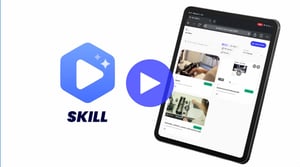
Three Steps to a Finished Course on the Production Line
From raw material to the finished course, with no IT project in between.
Select Materials
A process recorded via a cell phone video or as an existing PDF work instruction. That’s all it takes to get started.
Generate Course
Sections, transcripts, and translations are created in a single pass. The trainer reviews and approves them.
Rollout and Maintenance
Every shift, every location, the same training. Changes are rolled out to everyone at the same time via a new version.
Four Challenges That Cause Training Programs in Manufacturing to Fail
The four factors that determine acceptance in everyday life—and how SKILL addresses them.
The course must follow the process
A new video is all it takes for any change. SKILL generates a new course version, and all locations are immediately up to date.
Loosen the collet, remove the tool, and clean the tool holder before installing the new tool.
Loosen the collet, remove the tool, and clean the tool holder before installing the new tool.
What should be done before installing the new tool?
Video, transcript, and audio all in one view.
Read along instead of rewinding, in the team’s language. At the end, a knowledge quiz checks whether the procedure was understood.
Understandable for the entire team
Transcripts and translations are generated automatically from the source material, without the need for a second round of production at each location.
Responsibility Remains with the Instructor
The AI suggests structure and text. Approval is granted by the subject matter expert; only then is the course visible.
Understood or Just Viewed
Each course ends with a knowledge test, which is automatically generated in every language. The results and course version are included in the certificate of completion.
Three Phases from Analysis to Decommissioning
A standardized process with defined milestones. Your involvement is limited to providing system access, coordinating with subject matter experts, and signing off on the project.
System Analysis
We document the data model, volume, interfaces, and relevant reports of your legacy system.
- Database structure and size
- Relevance of Existing Reports
- In-house Developments and Interfaces
- Retention requirements by data area
Archiving
Data migration, reproduction of reports, and audit-compliant documentation of every step.
- Extraction, including schema information
- Reports and Customized Analyses
- Documentation for traceability
- Testing and acceptance phase with the business unit
Decommissioning and Operation
After acceptance, the source system can be shut down. Access continues via CHRONOS.
- Procedural Documentation for Testers
- Role and Permission Concept
- Time-Based Deletion
- On-premises or cloud-based operation
Why Shutdowns Fail in Practice.
The most common assumptions don’t hold up to a tax audit. Four of them regularly cost money.
“A backup is sufficient as an archive.”
A backup restores a state. It does not make data analyzable and does not prove immutability. Without structure and a log, it is not evidence.
“We’ll just leave the system as is.”
Interim storage is not the same as archiving. The system continues to become obsolete, knowledge about it disappears, and costs remain unchanged.
“A CSV export is sufficient.”
Flat exports lose relationships, document references, and evaluation logic. The auditor asks about the context, not about tables.
“Once the migration is complete, the issue is resolved.”
Migrations carry over active data but leave the history behind. That’s exactly where the legacy data originates—data for which no one takes responsibility later on.
Why Knowledge Retention Fails in Practice.
Where SKILL Makes a Difference
On-the-Job Training
New employees start right away with the training course instead of watching a colleague work. They’re up and running faster, without having to pull experienced staff away from production.
Roll out process changes
Implement the process once from scratch instead of holding training sessions at each location. All plants will be up to date with the latest version within minutes.
Preserving Knowledge Before an Employee Leaves
The practical knowledge of departing employees remains within the plant, captured in a reusable course rather than in a single person’s mind.
International Projects
A course rolled out in every required language. The standard set by the lead office applies equally at every location, without the need for separate translation cycles.
Temporary and Seasonal Workers
Targeted training on specific tasks, available for review each time an assignment begins. Training pays off even for short-term assignments.
Proof of Qualification
Each training session is documented with the participant’s name, date, and process status. This information can be retrieved at the push of a button if requested during an audit.
We'll demonstrate SKILL using your own process.
Send us a video and a set of work instructions. In 30 minutes, we’ll show you the finished course, in your languages, with your sections.