



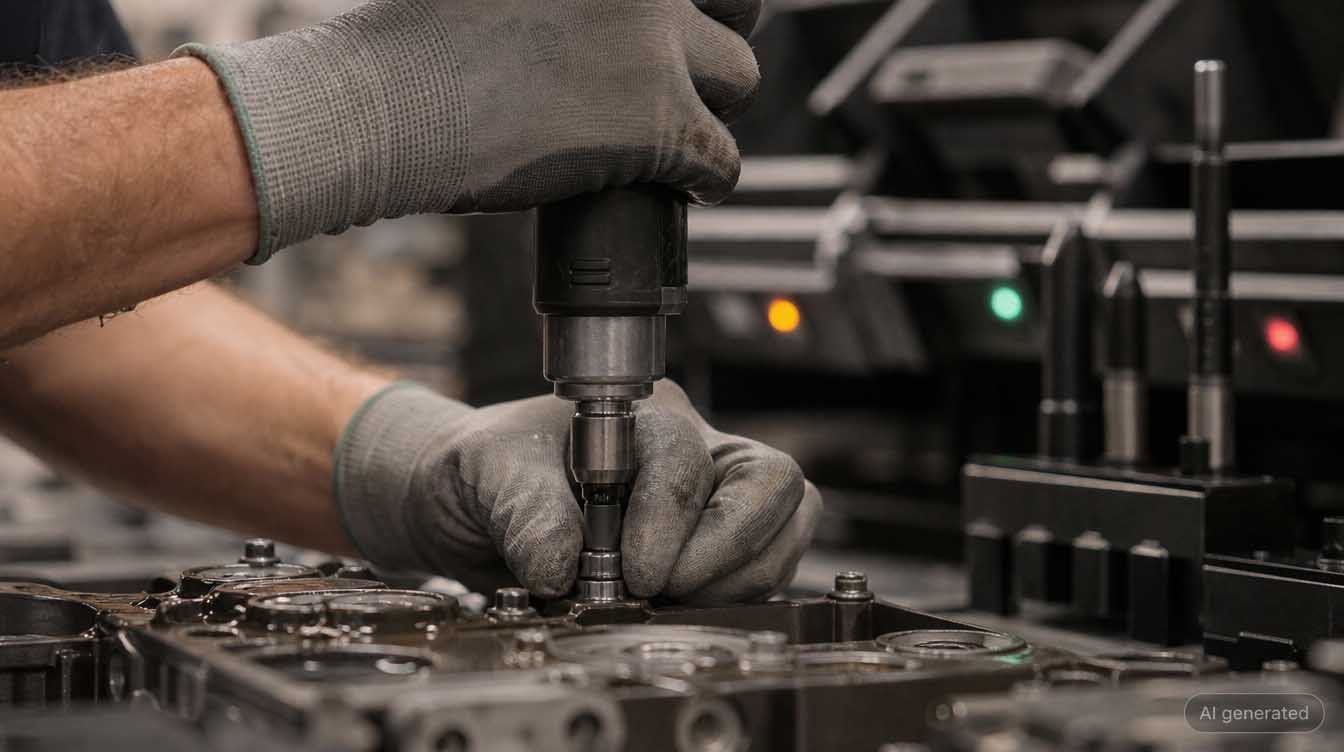
A worker picks up the cordless screwdriver, positions it, and begins to tighten. The screwdriver jams after a quarter-turn. Instead of an error message, an image appears on the screen above the workstation: the hole, marked in red, is two positions to the right. The worker has selected the wrong fastening point, and the system knew it before the first turn of the screw was even in the thread. No inspector, no dual-control principle, no final inspection. A sensor, a job number, and a rule that takes effect in less than a hundred milliseconds. That is precisely the difference between a digital work instruction and a worker assistance system in Industry 4.0. And that is exactly what this article is about: not what such systems promise, but how they work technically.
THE MOST IMPORTANT POINTS IN A NUTSHELL
|
IN SHORT
|
What Defines a Worker Assistance System in Industry 4.0
A worker assistance system is a system that actively guides production workers during a manufacturing process, provides technical safeguards for their actions, and automatically documents every step. The difference from all previous stages lies in the level of intervention. A work instruction provides information. A worker assistance system intervenes.
This distinction is not mere semantics, but the very heart of the matter. In practice, systems are marketed as worker assistance systems that do nothing more than display a PDF on a panel. They improve readability compared to a worn-out posted notice, but they do nothing to reduce the likelihood of errors. Anyone who can skip a step will eventually do so when under time pressure. A worker assistance system prevents exactly that because it technically locks down the process.
To put this into context, it helps to clearly distinguish between the terms that get mixed up in the market. People searching for an assembly assistance system, a digital worker assistance system, or a pick-to-light solution often mean the same function but have different levels of functionality in mind.
| Term | What the system does | What it does not do |
|---|---|---|
| Digital Work Instructions | Displays a document or image at the workstation; centrally managed and version-controlled | No step-by-step process, no verification, no automatic documentation |
| Worker assistance system | Guides the worker step-by-step, verifies critical steps, documents automatically, and provides feedback | Does not perform the task itself and does not replace the worker’s qualifications |
| Assembly assistance system | Similar to the worker assistance system, with a focus on joining, screwing, and assembly operations | Often provides only limited coverage of inspection, rework, and review processes |
| Pick-to-Light System | Indicates the correct pickup bin via a light indicator and an acknowledgment button | Does not understand the entire process; it is a subfunction and not a standalone control system |
| MES | Schedules orders, allocates capacity, collects operational data, and calculates key performance indicators | Does not describe how to perform a single manual operation |
The link to the MES is the most important one. An MES knows what is to be produced. An operator assistance system knows how to perform a specific step. Both levels need each other, but they are not interchangeable. How this integration works in detail is a topic in its own right and is covered in depth in our article on operator assistance systems with MES integration.
Nowhere is a digital system mandated by regulation. What is mandated is the result. The following four key criteria determine what a worker assistance system must achieve in a regulated environment.
| Standard | Section | Requirement | Implications for the system |
|---|---|---|---|
| ISO 9001:2015 | 7.5.1 | Documented information must be available where it is needed | The current instructions must be posted at the workstation, not in a folder in the office |
| IATF 16949:2016 | 7.5 | Control of documented information, including versioning | Versioning with an approval workflow; older versions must no longer be executable |
| IATF 16949:2016 | 8.5.1 | Control of production under controlled conditions | Process parameters and inspection criteria must be defined in the process and monitored |
| IATF 16949:2016 | 8.5.2 | Identification and Traceability | Each documented step must be traceable to a specific component |
Anyone who translates these four key elements into a technical requirement will automatically end up with a system that includes version control, step logging, and job linking. Achieving this using paper is theoretically possible but, in practice, becomes unreliable as the number of variants increases.
How a worker assistance system works: the process in six steps
The operational process of an operator assistance system is the same in every reputable product. The systems differ in the depth of the individual steps, not in their order.
| Step | Description | What Happens |
|---|---|---|
| 1 | Order Transfer | The system receives the production order from the MES or ERP: order number, item, variant, quantity, and, if applicable, customer specifications. Alternatively, the operator scans the order slip. From this point on, the system understands the context in which all subsequent steps take place. |
| 2 | Variant Resolution | The system determines the corresponding process variant from the order. This is the step that prevents the most errors in practice, since manually selecting the correct instruction from a list is the most common source of errors in high-variety manufacturing. The system makes the selection instead of the operator. |
| 3 | Step Display | The current work step is displayed individually: an image or short video, text instructions, standard values, inspection criteria, and the required materials and tools. Not the entire sequence, but precisely the step that is currently due. This reduces cognitive load and prevents steps from being overlooked. |
| 4 | Assisted Execution | Peripheral devices provide support during execution: Pick-to-Light indicates the retrieval container, the screwdriver controller receives the appropriate parameter program, a camera verifies the presence of a component, and a positioning system releases the tool only at the correct point. |
| 5 | Verification | The system compares the specified values with the feedback. Torque and rotation angle must be within tolerance; the correct part number must be scanned; the image inspection must yield a positive result; and the visual inspection step must be acknowledged. If the comparison yields a negative result, the next step is not authorized, and a defined deviation path is initiated. |
| 6 | Documentation and Feedback | Regardless of the result, a data record is created. It is sent to quality data management; the quantity is reported back to the MES; and deviations trigger the stored escalation process. The operator does not need to take any action, and that is precisely where the value lies: documentation without additional effort is documentation that actually gets created. |
The crucial point lies between step four and step five. Systems that stop at step four are display systems with convenience features. Systems that consistently implement step five are assistance systems in the true sense of the word. The litmus test in every vendor demonstration is therefore: Show me what happens if I perform the step incorrectly.
The system architecture: four levels, from the sensor to the ERP
A worker assistance system is not a single program on a computer, but rather a distributed architecture spanning multiple levels. The Industry 4.0 layer model, described in DIN SPEC 91345 as the RAMI 4.0 reference architecture model, organizes these layers from the field level to the enterprise level. For operator assistance, four practically relevant layers can be derived from this model.
| Level | Task | Typical Technology | Time Behavior |
|---|---|---|---|
| Field Level | Generate actual values and control actuators | Screwdriver control, camera, pick-to-light, scanner, position sensors, foot switch | Milliseconds |
| Workstation level | Execute, display, lock, and locally buffer step logic | Panel PC or industrial tablet, local sequence logic, local instruction cache | Milliseconds to seconds |
| Execution level | Provide job context and capture execution data | MES, operator assistance server, process data management, middleware | Seconds to minutes |
| Enterprise level | Evaluate, archive, and provide documentation | ERP, quality management system, long-term archive, reporting | Minutes to years |
This distinction is not merely theoretical. It determines what happens in the event of a disruption. If the enterprise level fails, production continues and reports are temporarily unavailable. If the execution level fails, no new orders are received, but ongoing orders can still be completed. If the workstation level fails, the station comes to a standstill. An architecture that executes step logic exclusively at the central level shifts this risk upward and makes the entire line dependent on a network connection.
OPC UA, based on IEC 62541, has established itself as a vendor-neutral standard for communication between the field and workstation levels. REST interfaces and message middleware are commonly used between the workstation and execution levels. What matters less than the choice of protocol is whether the connection is bidirectional. A connection that only passes down tasks and does not return results creates a data silo at the workstation. Our article on MES and ERP integration in quality management illustrates how this affects the entire system landscape.
|
FREE DOWNLOAD Checklist: How Digital Is Your Production Line?Seven questions that will help you determine in three minutes which of the four levels in your manufacturing process is actually closed today and where there are still media breaks. |
Which technologies are actually working in the operator assistance system
It is determined at the field level whether a system merely guides or also provides safety. The following components are used in mass production. They are rarely installed in their entirety but are selected based on the risk associated with each process step.
| Component | Operating Principle | Prevented Failure | Ready for Use |
|---|---|---|---|
| Pick-to-Light | Light indicator on the container plus an acknowledgment button or photoelectric sensor | Reaching into the wrong container, selecting the wrong component among similar variants | Standard in series production |
| Screwdriver Control | Parameter program for each step, feedback on torque and rotation angle | Insufficient tightening torque, double fastening, missing screw | Standard feature |
| Barcode and Data Matrix scanning | Optical reading of the component or batch identifier | Wrong component installed, missing assignment in documentation | Standard for series production |
| Industrial image processing | Camera plus evaluation algorithm for presence, position, or completeness | Missing small part, rotated component, open connector | Ready for series production, depending on inspection tasks |
| 3D Position Detection | Localization of the tool in space; release only at the defined position | Correct step performed in the wrong location | Ready for series production for safety-critical screw connections |
| Projection systems | Projection of markings and contours directly onto the workpiece | Reading errors between the screen and the component, position mix-ups | Project-dependent |
| AR glasses | Instructions displayed in the field of view, hands-free operation | Shifting focus between the screen and the component during complex assembly | Pilot phase in mass production |
When it comes to AR glasses, honesty is key. The technology performs convincingly in demonstrations but consistently fails in mass production due to comfort issues during a full shift, hygiene and occupational safety requirements, and battery life. In maintenance, during overhauls, and in setup processes with long cycle times, the benefits are demonstrable. On a synchronized assembly line, projection and screens are currently the more robust solution. That may change, but that is the current state of affairs.
A second point to consider: No single component works on its own. A camera that detects a deviation but has no connection to the step logic generates a signal that no one reads. The benefit only arises through integration with the interlock in the process flow.
The data flow: what happens with each step confirmation
The true value of a worker assistance system in Industry 4.0 lies not in the display, but in what happens in the background with each confirmation. A complete execution data record typically contains the following fields.
| Field | Content | What it’s used for in an emergency |
|---|---|---|
| Timestamp | Date and time of confirmation, synchronized | Reconstructing the sequence, narrowing down a time frame for an error |
| Worker ID | Person logged in at the workstation | Proof of qualifications, assignment within the context of process analysis |
| Order ID | Production order from MES or ERP | Link to customer, variant, and delivery date |
| Part ID | Serial number or lot number | Scope definition in the event of a complaint or recall |
| Step ID | Unique identifier for the work step | Assignment of the deviation to a specific process step |
| Target value | Specified value according to instructions, such as a torque window | Evidence that a specification existed at the time of execution |
| Actual value | Measured value from sensors or the tool | Evidence of actual execution rather than mere confirmation |
| Result | Evaluation of the target-actual comparison | Trigger for approval, rejection, or rework |
| Instruction version | Version status of the work instruction | Document specifying the production specifications; managed centrally in case of changes |
The last field is often underestimated. In the event of a complaint from the field, the crucial question is rarely whether the worker was careful. Rather, it is which specifications the worker followed and whether those specifications were correct at the time. Without a recorded version status, this cannot be reconstructed retroactively, and the burden of proof in a product liability case shifts to the manufacturer.
The second distinction that determines the value of the data record: confirmed versus measured. A confirmation via a pushbutton proves that someone pressed a button. A torque value from the screwdriver control system proves that a connection was tightened to a specific torque. For safety-critical features, only the latter constitutes reliable proof.
Real Time, Latency, and Offline Capability in Practice
“Real-time worker assistance” is a frequently searched term—and a frequently misunderstood one. “Real-time” does not mean “fast,” but rather “within a guaranteed time limit.” This limit varies greatly depending on the function, and a system that processes all functions in the same way will inevitably fail to meet one of them.
| Function | Required Response Time | Where it Must Be Met | Consequences of Exceeding the Limit |
|---|---|---|---|
| Tool Locking | Millisecond range | Field or workstation level, local | The operator has already triggered the action; the lock is not effective |
| Visual feedback after testing | Less than one second | Workstation level | The operator continues working before the result is available |
| Step change and display setup | A few seconds | Workstation level with local cache | Loss of cycle time, loss of acceptance among the workforce |
| Feedback to MES and quality data | Minutes | Execution level | Delayed metrics, not critical to the ongoing process |
| Reporting and analysis | Minutes to hours | Enterprise level | No impact on production |
This table points to a clear architectural decision: Anything that affects the worker during the production cycle belongs locally at the workstation or in its immediate vicinity. Analysis and archiving may be handled centrally. A purely cloud-based model, in which every step change triggers a request over the wide-area network, is not viable in takt-based manufacturing. Edge-based processing here is not a passing trend, but a requirement dictated by takt time.
This is directly related to offline capability. A worker assistance system must be able to continue operating in the event of a network outage. Technically, this means: approved instructions are stored locally; acknowledgments and measured values are buffered locally and transmitted once the connection is restored. An often-overlooked aspect here is timestamp accuracy. If the data record is written with the time of synchronization rather than the time of execution, the resulting log can no longer be reconstructed during an audit.
PRACTICAL ERROR: THE SILENT BUFFER LIMIT
|

From an assistance system to a closed-loop control system
So far, this article has described a system that guides, safeguards, and documents. That alone is not yet Industry 4.0, but rather well-executed digitization. The transition to Industry 4.0 only takes place when the data generated is fed back into the process.
| Step | Description | What Happens |
|---|---|---|
| Level 1 | Display | The instructions are available in digital form, centrally maintained, and up to date. The worker reads and follows them. Benefit: no more outdated notices. Limitation: the process is not secured. |
| Level 2 | Documentation | Each step is confirmed and logged. Benefit: Ability to provide evidence during audits and in response to complaints. Limitation: Only the confirmation is documented; correct execution is not necessarily verified. |
| Level 3 | Verification | Sensors and tools provide actual values; the system compares and locks out. Benefit: Errors are prevented rather than detected. Limitation: The system does not yet learn from the incident. |
| Level 4 | Control | The execution data is systematically analyzed: clusters of deviations, unusual cycle times, differences between shifts and variants. This leads to changes in instructions, equipment, or the process. The cycle is complete. |
Level four is the point at which worker assistance develops strategic value. A process step whose deviation rate rises over several weeks serves as an early warning indicator. It points to tool wear, a change in supplier quality, or an instruction that was not updated following a design change. Without systematic evaluation, this is not noticed until the final inspection—or, in the worst case, not until it reaches the customer.
This is also where statistical methods and pattern recognition come into play, often under the label of “intelligent operator assistance system.” The realistic benefit today lies in detecting anomalies in large data sets, not in autonomously changing specifications. An instruction changes only when a person changes it. Responsibility for approvals remains with the process owner, and this is not a technological limitation, but a normative one.
The difference between a digitized workplace and an Industry 4.0 workplace is not the screen. It is the question of whether anyone reads the data that is generated there every day.
Amadeus Lederle, Chief Technology Executive, CSP Intelligence GmbH
If you consistently follow this feedback loop to its logical conclusion, you arrive at the digital representation of the manufacturing process. Our article on the Digital Twin in the manufacturing industry describes how this affects production planning. We address the ongoing evolution toward human-centered production under the heading “Industry 5.0.”
Limitations: What Worker Assistance Systems Cannot Do
An article that merely describes what works is incomplete. Based on CSP’s project experience, the following limitations are the most common reasons why implementations fall short of expectations.
- A worker assistance system does not improve poor work instructions. It simply makes them available more quickly and everywhere. If the instructions are technically incorrect or incomplete, the system amplifies the error. Revising the instructions must come before digitization, not after.
- It does not replace basic qualifications. For safety-critical tasks, the qualification of the person performing the task remains a prerequisite. The system guides the user through the process; it does not assess whether an anomaly in a component is critical.
- It only documents what it measures. A visual inspection step that is merely acknowledged provides weaker evidence than a measured torque value. Anyone who overestimates the depth of evidence will be in for a surprise during an audit.
- It does not solve acceptance issues. If the system is introduced and communicated as a control tool, workarounds will emerge. If it is introduced to reduce workload and the workforce is involved in designing the steps, engagement will result.
- It does not replace process capability. An unstable process remains unstable. The system makes the instability visible and measurable; it does not eliminate it.
These points are not arguments against worker assistance. They are arguments for treating the implementation as a process project rather than an IT procurement initiative. We have compiled the criteria that actually matter during selection in the article “Worker Assistance Systems: How to Recognize a Good System.” The article on onboarding software in manufacturing shows exactly how the effort required for training changes.
Worker Assistance in Manufacturing OS
CSP’s Manufacturing OS is the platform where the levels described in this article converge. Within it, operator assistance is handled by the PGX module, process data collection and analysis by IPM, test equipment and tool monitoring by QST, and audit-proof long-term data storage by CHRONOS. The modules are not standalone products, but rather components of the same platform sharing a common database.
HOW THE CSP MANUFACTURING OS IMPLEMENTS THE FOUR LEVELS
|
The practical advantage of the shared database becomes apparent when documentation is required. If the execution data from the operator guidance system and the process data from manufacturing are stored in the same data model, accessing the component file is a simple query rather than a reconstruction project involving multiple sources. You can find more information about operator assistance in CSP Manufacturing OS on the operator guidance product page.
|
LIVE DEMO View Worker Assistance During the Ongoing ProcessIn thirty minutes, we’ll use a real-world workflow to show you how step guidance, verification, and documentation work together—and what the system does when a step is intentionally performed incorrectly. |
Frequently Asked Questions
How does a worker assistance system work from a technical standpoint?
A worker assistance system retrieves the production order from the higher-level system, determines the correct process variant based on it, and breaks it down into individual work steps. Each step is displayed individually at the workstation, along with an image, target value, and inspection criterion. Sensors and connected tools send back an actual value signal during execution. The system compares the target and actual values, either authorizes the next step or blocks it, and in both cases records a data entry with a timestamp, operator ID, part ID, and instruction version. The process is therefore not merely a display function, but a control process.
What is the difference between a worker assistance system and an assembly assistance system?
In German-speaking countries, these terms are largely used interchangeably. “Assembly assistance system” is the more specific term and refers to assembly and joining processes. “Operator assistance system” is the umbrella term and additionally encompasses inspection, rework, setup procedures, and review. Technically, both work the same way: step-by-step guidance, verification, and documentation. Anyone looking for an assembly assistance system is generally looking for exactly the functions that a worker assistance system provides.
What interfaces does a worker assistance system need?
Upstream, an interface to the MES or ERP system for order, variant, and quantity, typically via REST or middleware. Downstream, a machine and tool interface—in series production, usually OPC UA per IEC 62541; in older systems, proprietary protocols of the screwdriver control system may also be used. On the side, a connection to quality data management ensures that measurement values and deviations do not end at the workstation. If the upward interface is missing, the operator must select the variant manually—and that is precisely where most mix-ups occur.
What exactly does real-time operator assistance mean?
Real time does not mean as fast as possible, but rather within a defined time window. To disable a tool in the event of an incorrect step, this window is in the range of milliseconds, because otherwise the operator would have already pressed the trigger. For visual feedback after a fastening operation, a few hundred milliseconds are sufficient. For evaluation in the quality report, minutes are sufficient. A system that attempts to meet all three requirements with the same architecture will fail to either lock the tool or perform the evaluation.
Does a worker assistance system work without a network?
A serious system stores the approved instructions locally at the workstation and continues to operate in the event of a network outage. Confirmations and measured values are temporarily stored and transmitted the next time a connection is established. It is important to maintain the correct sequence: The data records must be delivered with the original timestamp, not the time of synchronization. Otherwise, the resulting documentation cannot be reconstructed during an audit.
What makes a worker assistance system intelligent?
It’s not the user interface, but the feedback. A system becomes intelligent the moment it evaluates its own execution data and draws conclusions from it: which step takes an unusually long time, where deviations occur most frequently, and which variant generates the most rework. Statistical analysis and pattern recognition provide insights in this regard. The decision on whether to change an instruction remains with the process manager.
Does a worker assistance system absolutely require an MES?
Not for basic operation. A worker assistance system can run independently if orders are entered manually or via scan. However, for complete traceability as defined in IATF 16949 Section 8.5.2, integration becomes practically indispensable, because only this integration provides the unique identifier consisting of the order, variant, and component. Without this identifier, the system documents that steps have been confirmed, but cannot reliably identify which component was involved.
What hardware is required at the workstation?
The basic setup includes an industrial-grade monitor or panel PC, an input device such as a touchscreen, pushbutton, or foot switch, and a network connection. Depending on the process, the following may also be required: a scanner for Data Matrix codes or barcodes, pick-to-light modules on the material containers, a connected screwdriver controller, and a camera for verifying the presence of components. The hardware is rarely the limiting factor. The limiting factor is almost always the quality of the stored work instructions.