




Suppose a customer files a complaint about a loose screw on an assembly that was manufactured three years ago. The ERP system knows who it was delivered to. The MES system knows on which line and during which shift it was produced. However, neither system records the actual torque applied by the screwdriver at Station 40.
This is where it becomes clear whether manufacturing software was designed as a cohesive architecture or has evolved as a collection of individual programs. This article categorizes the system classes, highlights where data is lost between them, and describes how to select the right combination for your production.
KEY POINTS AT A GLANCE
|
IN SHORT
|
→ Download the white paper for free: White Paper: Management of Quality-Related Production Data
What Is Manufacturing Software? Definition and Distinctions
Manufacturing software refersto any application that plans production orders, controls their execution, records process and quality data, or stores this data for documentation purposes. The terms “manufacturing software,” “production software,” and “industrial software” are largely used interchangeably in practice. They all refer to software that bridges the gap between business planning and the machine.
This does not include tools for product development in the narrower sense, such as CAD. PLM systems, which manage product data throughout the product lifecycle, are classified by the ISA 95 level model as belonging to the top-level planning tier, along with ERP. They provide master data to manufacturing but do not control it.
In 2026, the digital association Bitkom examined how far German industry has come with this software in a representative survey of 555 industrial companies with 100 or more employees. The figures reveal a gap between adoption and maturity:
| Key Metric | Value | Source |
|---|---|---|
| Companies with at least one Industry 4.0 application | 97% | Bitkom Industry 4.0 Study Report, 2026 |
| Companies that report their digital transformation is being slowed by economic conditions | 58% | Bitkom Industry 4.0 Study Report, 2026 |
| Companies that tend to view themselves as laggards when it comes to Industry 4.0 | 50% | Bitkom Industry 4.0 Study Report, 2026 |
| Companies that say many businesses lack the data needed for digital twins | 57% | Bitkom Industry 4.0 Study Report, 2026 |
So, while nearly all companies use digital tools, half feel they are falling behind, and more than half cite a lack of data as an obstacle. This is not a contradiction. It accurately describes a situation in which manufacturing software is available, but the systems do not share the same database.
What types of systems fall under the category of manufacturing software?
The ISA 95 standard, published internationally as IEC 62264, describes the integration of enterprise and control systems across five levels. It serves as the common reference framework against which all industrial software can be classified. The following system map assigns the common system classes to these levels.
| Level according to ISA 95 | Function of the Level | Typical Systems | Time Horizon of the Data |
|---|---|---|---|
| Level 4: Corporate Planning and Logistics | What is produced, when, and in what quantity | ERP, PLM, PPS as an ERP module | Days to months |
| Level 3: Production Management | How is the order executed, inspected, and documented? | MES, CAQ, process data management, digital worker guidance | Hours |
| Level 2: Monitoring and Control | Monitoring and controlling systems | SCADA, HMI | Minutes |
| Level 1: Monitoring and Control | Reading signals, switching actuators | PLCs, screw-type and test controllers | Seconds |
| Level 0: Physical process | The actual manufacturing step | Sensors, actuators | Milliseconds |
Levels according to ISA 95 / IEC 62264. Time horizons based on the automation pyramid depicted in the United Manufacturing Hub knowledge base. Assignment of CAQ and operator guidance to Level 3 according to ISA 95 Part 3, which classifies Quality Operations Management as a Level 3 activity.
Archiving does not appear as a separate level in the pyramid. It affects all levels because records from Level 1 through Level 4 must remain readable for years. An overview of the individual system classes:
ERP: the business backbone
The ERP system manages customer orders, materials, inventory, and costs. For manufacturing, it is the source of production orders and bills of materials and the destination for completion confirmations. An ERP system knows the batch number of a component, but generally not the process values used when it was installed.
PPS: Production Planning and Control
PPS functions plan capacities, schedules, and sequences. In many companies, they are part of the ERP system; detailed planning at the machine level is then handled by the MES. Those looking for production planning software are usually looking for exactly this function.
MES: The Execution Level
A Manufacturing Execution System (MES) schedules orders, collects operational and machine data, and reports progress back to the ERP system. The tasks involved are described in VDI 5600 (next section). For details on features and costs, see the article on MES software: Features, Selection, and Costs.
CAQ: Computer-Aided Quality Assurance
CAQ systems manage inspection plans, test equipment, complaints, and statistical process control. They map out the quality management process. The selection guide for QMS software in manufacturing describes how to select such a system.
Process Data Management: The Values Behind Every Joining Process
Process data management records the measured values and curves of individual process steps, such as the torque and angle of rotation during screw fastening, the force and displacement during press-fitting, or the results of an electrical test. The data is stored by serial number and serves as the basis for any subsequent verification. The article “Setting Up Process Data Management Correctly in Manufacturing” explains how to implement this.
Digital Worker Guidance: Instructions at the Manual Workstation
Operator guidance shows employees, based on the specific variant, which step comes next, verifies inputs, and documents deviations. It is necessary wherever people perform assembly tasks and errors cannot be eliminated through automation. The article “Digital Operator Guidance: Definition, Benefits, Roadmap” explains the basics.
Archiving: Keeping Records Accessible for Years to Come
Archiving systems offload process and quality data from production databases without rendering them unreadable. This applies to both retention requirements and the performance of operational systems. Learn more in the article on audit-proof archiving in production.
What an MES Should Be Capable of According to VDI 5600
The term “MES” is not a protected designation, and vendors interpret it differently. The VDI 5600 Part 1 “Manufacturing Execution Systems” guideline, published in October 2016, provides a vendor-neutral standard. It describes MES in terms of tasks and breaks this down into ten categories. The table lists the tasks along with the corresponding section of the guideline and a question you should ask each provider regarding that task.
| Chapter | MES Task | Question for the provider |
|---|---|---|
| 5.1 | Order Management | How are orders imported from the ERP system and reported back? |
| 5.2 | Detailed Planning and Control | Does the system plan on its own, or does it import the plan from the ERP? |
| 5.3 | Equipment Management | Are tools and test equipment tracked with their status and inspection due dates? |
| 5.4 | Material Management | Is installed material assigned a serial number? |
| 5.5 | Personnel Management | Is a person’s qualification verified before the work step? |
| 5.6 | Data Collection | Which data is read directly from the control system, and which is entered manually? |
| 5.7 | Performance Analysis | Which key performance indicators are available, and at what level of detail? |
| 5.8 | Quality Management | Are process values stored, or only the result (Pass or Fail)? |
| 5.9 | Information Management | Who can retrieve which information, and how quickly? |
| 5.10 | Energy Management | Is energy consumption tracked by facility and by job? |
Tasks and chapter numbers are based on the table of contents of VDI 5600 Sheet 1:2016-10. The questions are editorial recommendations.
No operation needs all ten tasks to the same extent. For safety-critical assembly, data collection, quality management, and information management are particularly important. For manufacturing with many setup operations, detailed planning and equipment management take center stage. This prioritization influences the selection more than the length of a list of functions.
Where the gap lies between MES and quality assurance
An MES typically documents that a work step has taken place and what the result was. For many processes, that is sufficient. However, for safety-critical joining processes, it is not enough, because in the event of damage, it is not the “Good” result that counts, but rather the sequence of measured values.
IATF 16949, the automotive industry’s quality management standard, supplements the traceability requirements of ISO 9001 in Section 8.5.2.1. Among other things, it requires traceability systems that allow defective or suspicious parts to be identified and sorted out; the retention of records in a format that meets the customer’s response times; and serialized identification of individual products when required by the customer or regulatory standards. For bolted joints, VDI/VDE 2862 specifies the requirements based on the risk class of the bolted joint. The article on VDI/VDE 2862 and bolted joint classes explains what classes A, B, and C mean.
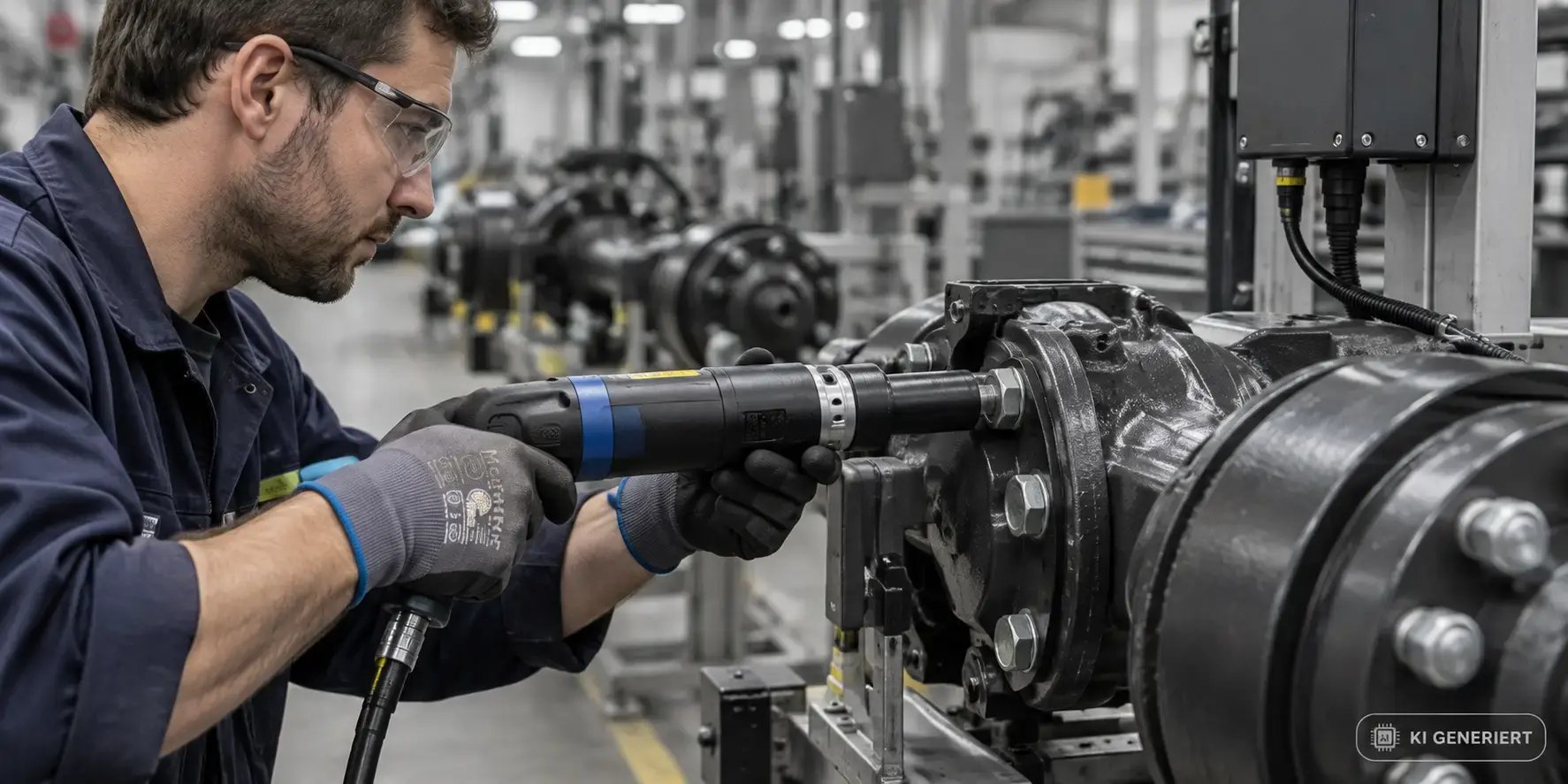
PRACTICAL ERROR: THE CURVE REMAINS IN THE CONTROL SYSTEMA documented example comes from the Mercedes-Benz plant in Hamburg, which was then part of Daimler AG. According to a report in the trade magazine *Produktion*, process data from axle assembly was previously recorded there using a file-based system, and tightening curves had to be retrieved from the system’s internal memory. The plant, along with the Stuttgart-Untertürkheim plant, introduced CSP’s IPM process data software to make the raw data from the production process available via the network. This is a typical scenario: The data exists, but in a location that is inaccessible for analysis and verification. |
The gap arises because no single system is responsible for this data. The MES focuses on the order, the CAQ on the inspection plan, and the control system on the individual cycle. The architecture must explicitly define who is responsible for storing process values with serial-number-specific accuracy over the years. The guide to traceability in production describes how to clarify this for your production.
|
WHITE PAPER Comprehensive Management of Quality-Relevant Production DataThis white paper shows how to capture, evaluate, and archive process data from screwing, pressing, and testing processes, regardless of which ERP and MES systems are already in use. |
Which software is needed for which type of manufacturing?
The right manufacturing software depends less on the industry than on two questions: What is the proportion of manual work, and how strict are the documentation requirements? The following matrix provides guidance. It is based on experience from CSP customer projects and is not a substitute for a requirements analysis at your own facility.
| Type of Manufacturing | ERP | MES | CAQ | Process Data | Operator Guidance | Archiving |
|---|---|---|---|---|---|---|
| Automated mass production, minimal documentation requirements | Requirement | Requirement | Required | Optional | Optional | Recommended |
| Automated series with safety-critical joining processes | Required | Required | Required | Required | Optional | Required |
| Manual variant assembly | Required | Recommended | Required | Recommended | Required | Recommended |
| Small-batch production in the rail, aviation, or medical technology sectors | Required | Optional | Required | Required | Required | Required |
Classification based on CSP customer projects. “Required,” “Recommended,” and “Optional” describe typical requirements, not regulatory mandates.
The last row is particularly noteworthy. In small-batch production with high documentation requirements, a full-fledged MES is often not worthwhile, while process data, operator guidance, and archiving are mandatory. Here, digital operator guidance can take over part of the execution control that an MES would otherwise provide.
For automated high-volume production, the opposite is true: the MES is indispensable, while operator guidance plays a lesser role. However, as soon as individual stations involve safety-critical screw connections or press operations, the focus shifts toward process data and archiving.
How Manufacturing Software Interacts: Interfaces and Data Sovereignty
Manufacturing software can only generate end-to-end traceability if each system knows which data it provides and which it receives. Part 5 of ISA 95 describes the transactions through which enterprise systems at Level 4 and manufacturing systems at Level 3 exchange information. OPC UA, internationally standardized as IEC 62541, has become the established standard for connecting controllers and machines.
The following data flow chain shows which system has control over the data at each stage:
| Step | System | Data Control | Transfer to |
|---|---|---|---|
| 1 | ERP | Production Order, Bill of Materials, Material | MES |
| 2 | MES | Scheduling, Status, Confirmation | Operator Guidance, ERP |
| 3 | Operator Guidance | Work Step, Variant, Confirmation, Deviation | MES, Process Data Management |
| 4 | Process Data Management | Measurement values and curves by serial number | CAQ, Archive |
| 5 | CAQ | Test Results, Process Capability, Complaints | ERP, Management |
| 6 | Archive | Long-term, readable records at all levels | Audit, Complaints |
Typical task distribution. In some architectures, a single system handles multiple steps.
Two rules have proven effective. First: Every piece of data has exactly one primary system. Duplicate data storage creates discrepancies that are difficult to explain during an audit. Second: The serial number is the unique identifier. This is the only way to assign an order, worker, material, and process value to a component—even years later.
A third question is often asked too late: Who owns the data when the manufacturer of a screwdriving system or a control system changes? Anyone who stores process data only in a device manufacturer’s proprietary format ties themselves to that manufacturer. The article on manufacturer independence in production explains why this is not merely a matter of convenience.
The same study specifically identifies the obstacles: 57 percent of the companies surveyed say that many businesses lack the data necessary for digital twins, while 48 percent cite inadequate IT infrastructure as the reason for failure. When it comes to selecting industrial software, this means that the data layer must take precedence over any future project.
The 6 Most Common Mistakes When Selecting Industrial Software
We see the following mistakes time and again in CSP customer projects. Each one can be avoided if identified before the RFP is issued.
- Comparing feature lists instead of processes. Requirements specifications listing hundreds of features lead to the system with the most checked boxes winning the bid. Instead, describe the five to ten processes that the system must reliably map, and have them demonstrated on an actual part during a workshop.
- Ignoring the data layer beneath the MES. Many selection projects stop at Level 3. No one then clarifies whether the curve of a bolting operation is saved. For every safety-critical process, ask where the measured value will be in ten years.
- Waiting until after go-live to address archiving. Production databases grow with every serial number. Without an archiving strategy, you’ll pay the price later in terms of performance or licensing costs. Archiving belongs in the initial architectural design.
- Becoming tied to a single equipment manufacturer. If process data is stored only in the software of the screwdriver or control system manufacturer, that manufacturer will dictate future investments. Demand open interfaces and your own, vendor-neutral data model.
- Involving the shop floor too late. Software that requires too many inputs at the workstation will be bypassed. Have workers and shift supervisors test the system before the contract is signed.
- Allowing legacy systems to run in parallel. A new system rarely replaces everything. Without a phase-out plan, old applications remain in operation solely for data access and incur costs. The article “Replacing Legacy Systems by 2026” shows you how to plan this.
Behind all six mistakes lies the same pattern: The selection is based on the system itself rather than on the data it must deliver. The 2026 Bitkom study provides the background on this. Fifty-eight percent of the companies surveyed state that the economic situation is slowing down their digital transformation. In this situation, hardly any business can afford misguided investments in software that will later need to be supplemented or replaced.
5 Steps to Finding the Right Software for Manufacturing
The following process has proven effective for selecting manufacturing software without unnecessarily replacing existing systems.
| Step | What to Do | Result |
|---|---|---|
| 1. Identify documentation requirements | List standards, customer requirements, and retention periods for each product | List of data you must document |
| 2. Map existing systems | Assign each existing system to an ISA 95 level and record its data | System map showing gaps and duplicates |
| 3. Determine data ownership | Determine the master system for each data item and set the serial number as the key | Data flow chain as described in the Integration section |
| 4. Prioritize gaps | Assess gaps by risk; close security-critical processes first | Prioritized investment list |
| 5. Pilot on a single production line | Test a system on a production line with actual parts; involve workers; plan for data archiving | A sound decision for the rollout |
Recommended approach based on CSP customer projects.
Step 2 usually reveals a surprise: systems that no one actively uses anymore but that still contain data, and processes whose values do not appear in any database. For a quick overview of the live status of your systems, check out the article on real-time monitoring in manufacturing.
If ERP and MES are already in operation, replacing them rarely makes sense. In this case, the goal is to integrate the underlying layer and the archive in such a way that existing systems can continue to operate. The article on MES-ERP integration in quality management describes what needs to be considered for quality assurance in this context.
|
BEFORE SELECTING A SYSTEM First, clarify your data levelBefore comparing vendors: This white paper describes which process data you need for traceability and audits, and how it fits into an existing system landscape. |
How CSP’s Manufacturing OS Fits into Manufacturing Software
CSP’s Manufacturing OS addresses Level 3—the area where, in many companies, there is a gap between MES and quality assurance. It is neither an ERP system nor production planning software. It operates alongside existing ERP and MES systems and supplements them with the process and documentation layer. CSP has been developing software for the manufacturing industry since 1991.
| Module | Function | Level |
|---|---|---|
| IPM | Process Data Management: Collection, parameter management, and evaluation of process data by serial number | Level 3 |
| QST | Quality assurance and tool inspection using inspection plans and documentation | Level 3 |
| PG | Digital worker guidance, step-by-step and variant-controlled, with documentation of deviations | Level 3 |
| CHRONOS | Audit-proof database archiving; data remains readable by departments | Across all levels |
The modules can be used individually or as an integrated system. For connectivity, CSP lists OPC UA, MQTT, and XML interfaces, among others, regardless of the manufacturer of the screwdriving or testing equipment.
A real-world example: Stadler Rail has consolidated process monitoring, digital operator guidance, and archiving into a single system. In the Stadler Rail success story, CSP reports that this resulted in more than 75 percent less rework and 90 percent less training time. Other customers include the BMW Group, Mercedes-Benz, MAN Truck & Bus, and Knorr-Bremse.
Frequently Asked Questions About Manufacturing Software
What software does a manufacturing company need?
Almost every manufacturing company needs an ERP system for orders, materials, and costs, as well as a quality assurance system. Whether an MES, process data management, digital operator guidance, or an archiving system is also required depends on the level of automation and compliance requirements. Companies with safety-critical joining processes—such as those in the automotive, rail vehicle manufacturing, or medical technology industries—typically need a separate layer for process data because ERP and MES systems do not store measured values and curves with serial number-specific accuracy.
What is the difference between ERP and MES?
The ERP system plans at Level 4 according to ISA 95—determining what is produced, when, and in what quantity—and manages materials and costs. The MES operates at Level 3 and controls how an order is executed on the shop floor: scheduling, status updates, and operational and machine data. The ERP operates in days and weeks, while the MES operates in hours. Both systems exchange orders and status updates, but they are not interchangeable.
What is the difference between MES and CAQ?
An MES controls the execution of production orders. A CAQ system manages quality assurance: inspection plans, test equipment, statistical process control, and customer complaints. Although VDI 5600 lists quality management as one of the ten MES tasks, in practice many MES systems only partially cover this task. For this reason, both systems run side by side in many plants and exchange inspection results.
Which CAQ and MES systems can be integrated into existing ERP systems?
Systems that support data exchange between Level 3 and Level 4 according to ISA 95 via documented interfaces and connect to control systems via standards such as OPC UA in accordance with IEC 62541 can be integrated. During the selection process, ask which system takes the lead for orders, materials, and inspection results, respectively, and ask to see an existing integration with your ERP. Systems that process only a device manufacturer’s proprietary formats make subsequent integrations more difficult.
Do I need an MES if I already have an ERP?
Not necessarily. An ERP system with production planning and scheduling (PPS) functions is often sufficient, as long as orders can be roughly planned and feedback can be entered manually. An MES is worthwhile if you monitor machines in real time, need detailed planning at the equipment level, or want to automate a large number of status updates. In manual small-batch production with strict documentation requirements, a digital operator guidance system combined with process data management can handle some of the MES tasks.
What does “vendor-neutral manufacturing software” mean?
Vendor-neutral manufacturing software stores process data in its own neutral data model, rather than saving it in the format specified by a screwdriver, press, or control system manufacturer. This allows you to operate equipment from different manufacturers on a single production line and switch between them later without losing your data history. This is important for traceability over many years, because equipment is typically in use for a shorter period than the data retention period.
How much does manufacturing software cost?
The costs depend on the system class, the number of production lines, and the integration effort, and cannot be quantified with a flat rate. In addition to licenses, there are costs for hardware, integration, personnel, and operation, as described by the Fraunhofer Society in a publication on MES implementations. The ongoing costs of growing databases are often underestimated. Therefore, plan for archiving from the very beginning and calculate costs over the entire useful life of the system, not just the first year of implementation.
|
NEXT STEP Where is your manufacturing operation losing data today?Download the white paper or speak directly with a CSP expert about your system landscape. |
Sources
- Bitkom e.V.: Industry 4.0. How Digital Is Germany’s Industry? Study Report 2026, n=555, DOI 10.64022/2026-industrie-4.0: https://www.bitkom.org/sites/main/files/2026-07/09072026-bitkom-studienbericht-industrie-40-2026_0.pdf
- VDI 5600 Part 1:2016-10 Manufacturing Execution Systems (MES), Table of Contents: https://www.din.de/de/wdc-beuth:din21:251310997/toc-2436698/download
- ISA 95 / IEC 62264: Tiered Model and Part 3: Manufacturing Operations Management, Siemens Digital Industries Software: https://www.sw.siemens.com/en-US/technology/isa-95-framework-layers/
- United Manufacturing Hub: Automation Pyramid and Time Horizons by Level: https://learn.umh.app/know/operational-technology/automation-pyramid
- Production: How Daimler Documents Manufacturing Quality: https://www.produktion.de/technik/so-dokumentiert-daimler-die-fertigungsqualitaet/1720065
- IATF 16949 Section 8.5.2.1 Identification and Traceability, Supplemental: Requirements a through f, as presented in the Elsmar Quality Forum: https://elsmar.com/elsmarqualityforum/threads/iatf-8-5-2-1-identification-and-traceability.92260/
- MaintainX Learning Center: What Is ISA-95? Parts 1 through 7 of the standard, Part 5 on communication between Level 3 and Level 4: https://getmaintainx.com/learning-center/what-is-isa-95
- OPC Foundation: OPC UA as the IEC 62541 standard for data exchange from the sensor to the cloud: https://opcfoundation.org/about/organizations/view/1/
- Fraunhofer Publica: Costs and Benefits of Implementing an MES Solution: https://publica.fraunhofer.de/entities/publication/9ca84468-5c38-4e58-8646-89696bb1f9c4
- CSP Intelligence GmbH: Manufacturing OS, product page featuring Stadler Rail results: https://www.csp-sw.de/en/csp-manufacturing-os